¶ History
CrowdSec itself keeps its decisions for only 7 days. Threat activity → History looks further back: the last 30, 90 or 365 days (choose at the top right). It reads the device’s own audit store, which keeps each decision for 365 days in a tamper-evident record (see Compliance Reporting).
The page shows this device’s own decisions: its detection, and the bans people made. Community blocklists and subscribed lists are enforced, but they are not recorded here. And not every alert leads to a decision: see Alerts for everything CrowdSec detected.
The page does not update by itself, because the audit store changes once a minute at most. Reload it to see the newest figures.
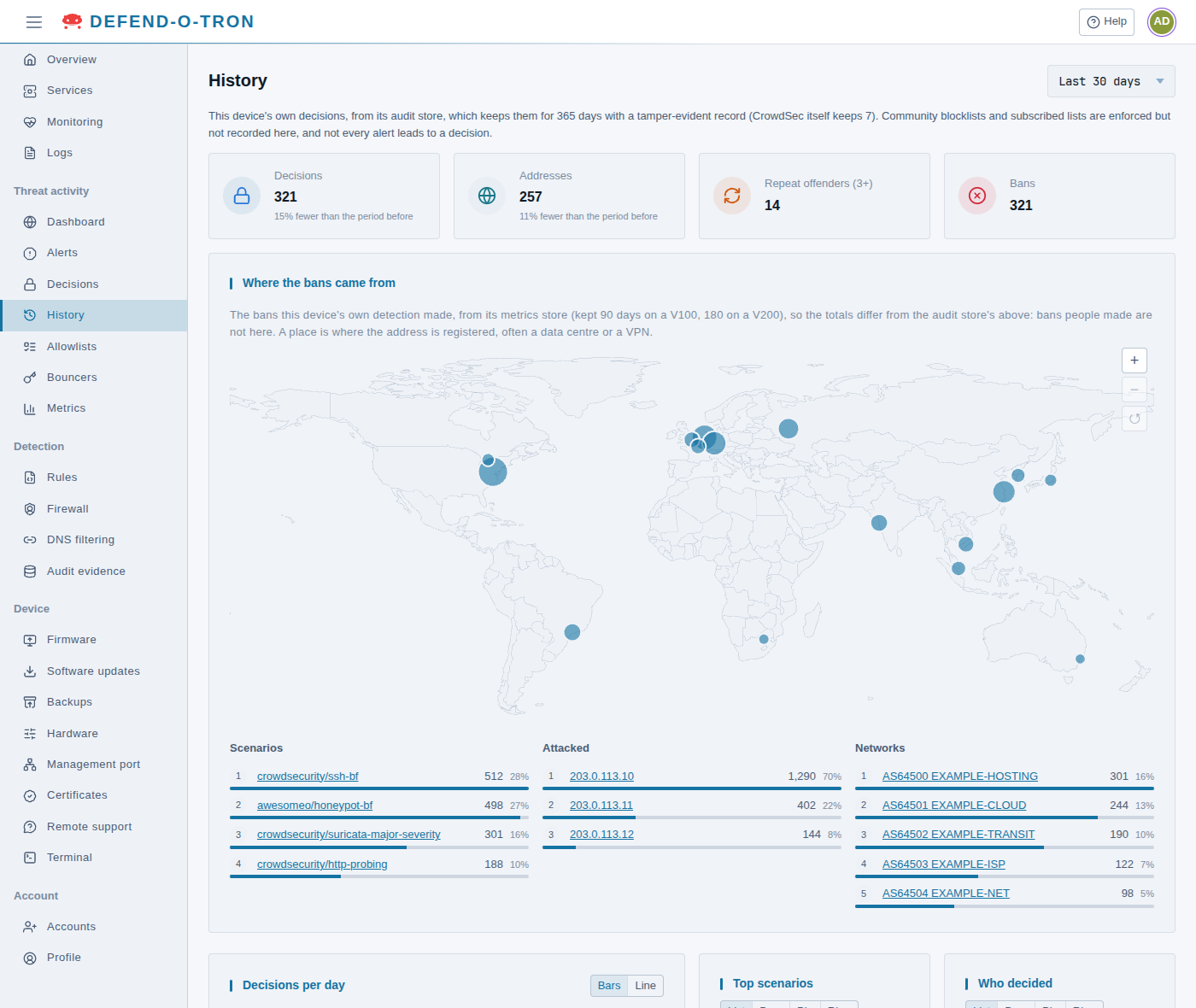
¶ Totals
- Decisions: how many decisions were made in the period.
- Addresses: how many different addresses or ranges they were on.
- Repeat offenders (3+): addresses with three or more decisions in the period.
- Bans: how many of the decisions were bans.
Decisions and Addresses also say how they compare with the period of the same length just before, for example 15% fewer than the period before. When the audit store’s records start inside the period, a note under the totals gives the date they start.
¶ Where the bans came from
A map of the places the bans’ addresses come from, with three lists below it: the Scenarios that made the bans, the addresses that were Attacked, and the Networks the attackers belong to. A place is where the address is registered, often a data centre or a VPN.
- Drag the map, and zoom in and out with its buttons.
- Select a place on the map, or an entry in a list, to show only those bans. Each choice becomes a filter above the map. Remove it with its ×.
This part comes from the device’s metrics store, not the audit store. It counts only the bans the device’s own detection made (not the ones people made), and the metrics store keeps them for 90 days on a V100 and 180 days on a V200. So its totals can differ from the totals above. If the metrics store does not reach back over the whole period, the card says from which date it covers it.
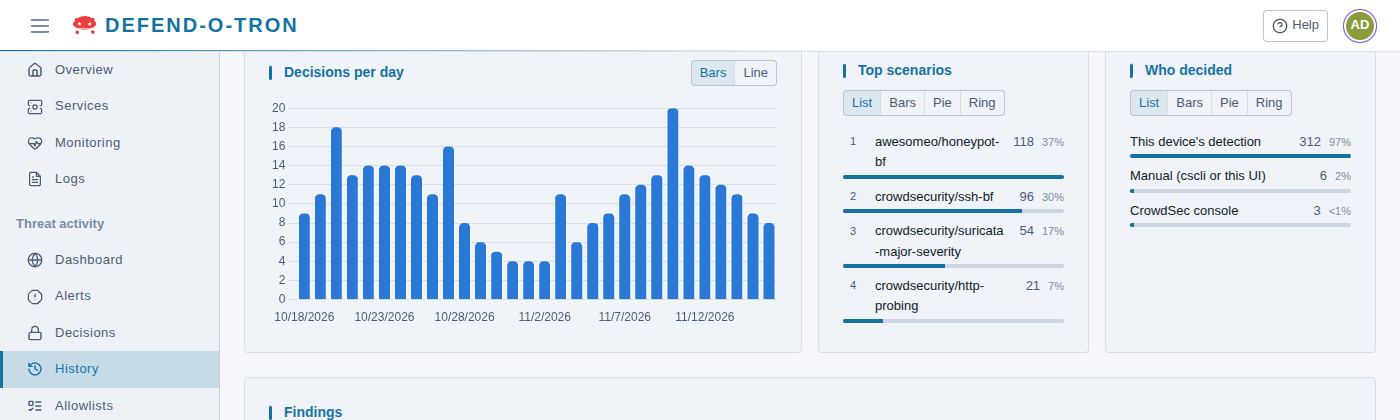
¶ Decisions per day, Top scenarios, Who decided
- Decisions per day: a chart of the period, as Bars or a Line.
- Top scenarios: the scenarios that made the most decisions.
- Who decided: This device’s detection, Manual (cscli or this UI), or the CrowdSec console.
Show each list as a List, Bars, a Pie or a Ring.
¶ Findings
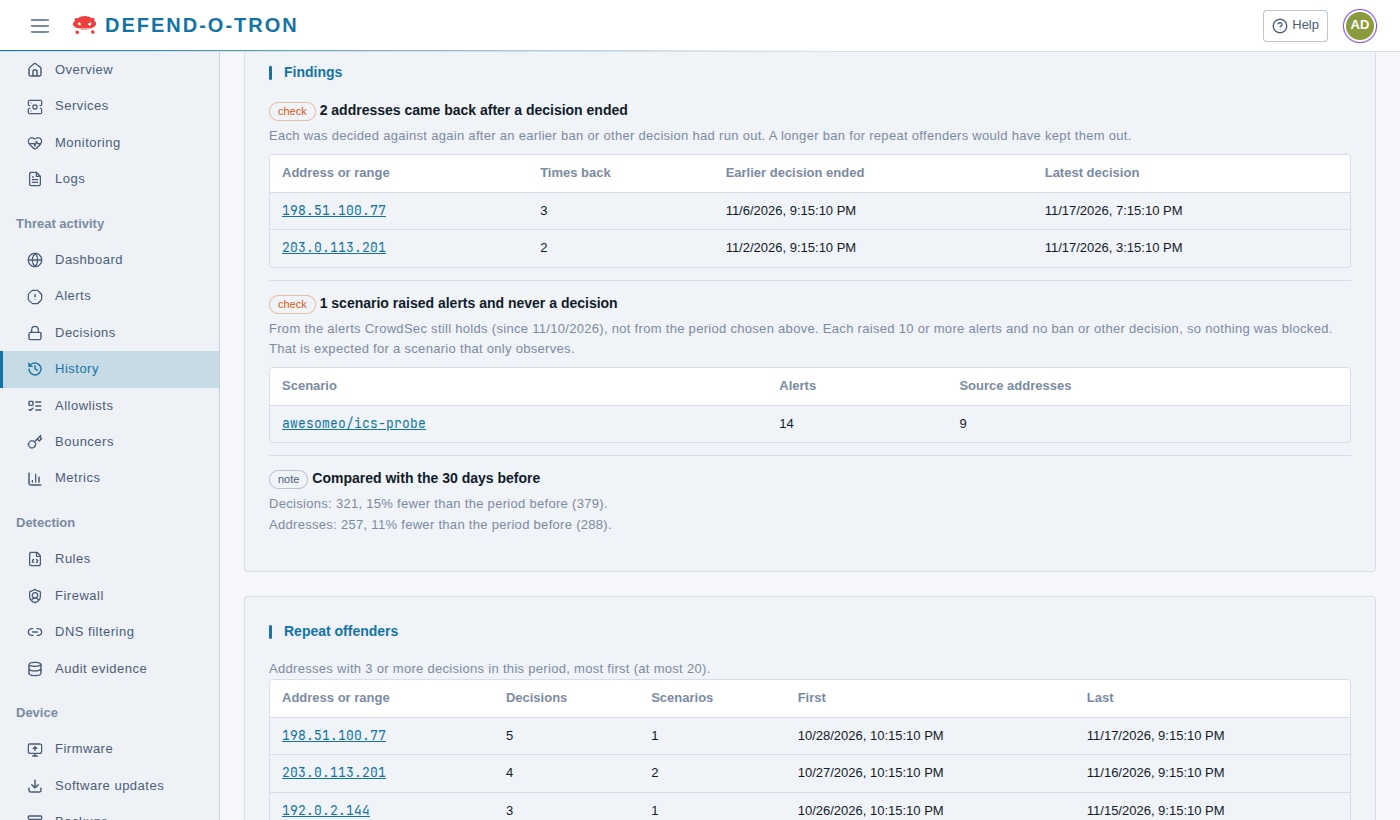
What the numbers suggest looking at. Check marks a finding worth a look, and note one for information:
- Addresses that came back after a decision ended: each was decided against again after an earlier ban ran out. The table shows how many times, when the earlier decision ended, and the latest decision. A longer ban for repeat offenders would have kept them out.
- Scenarios that raised alerts and never a decision: each raised ten or more alerts, but no ban, so nothing was blocked. This one comes from the alerts CrowdSec still holds (the last 7 days or so), not from the period you chose. It is expected for a scenario that only observes, for example
awesomeo/ics-probefrom the Industrial site rule set (see Detection Rules). - Compared with the days before: the decisions and addresses, against the period of the same length before. It is left out when the audit store does not reach back that far.
When nothing stands out, the card says so.
¶ Repeat offenders
The addresses with three or more decisions in the period, most first (up to 20), with how many decisions and scenarios each had, and when it was first and last decided against. Select an address to see its alerts from the last 7 days.
An address that keeps coming back is worth a closer look: you may want to ban it for longer on Decisions, or block its whole network on Detection → Firewall.
¶ Related
- Decisions: the bans in force now.
- Compliance Reporting: the audit store, and how to export its records for an auditor.
- Threat Activity: the other Threat activity pages.