¶ Allowlists
Threat activity → Allowlists shows CrowdSec’s allowlists: addresses and ranges CrowdSec never acts on. CrowdSec makes no ban for an address on an allowlist, whatever its traffic does.
The page is read-only. Allowlists are kept in CrowdSec itself, and are changed with cscli or in the CrowdSec Console, or by the device for its own list (see below).
¶ What the page shows
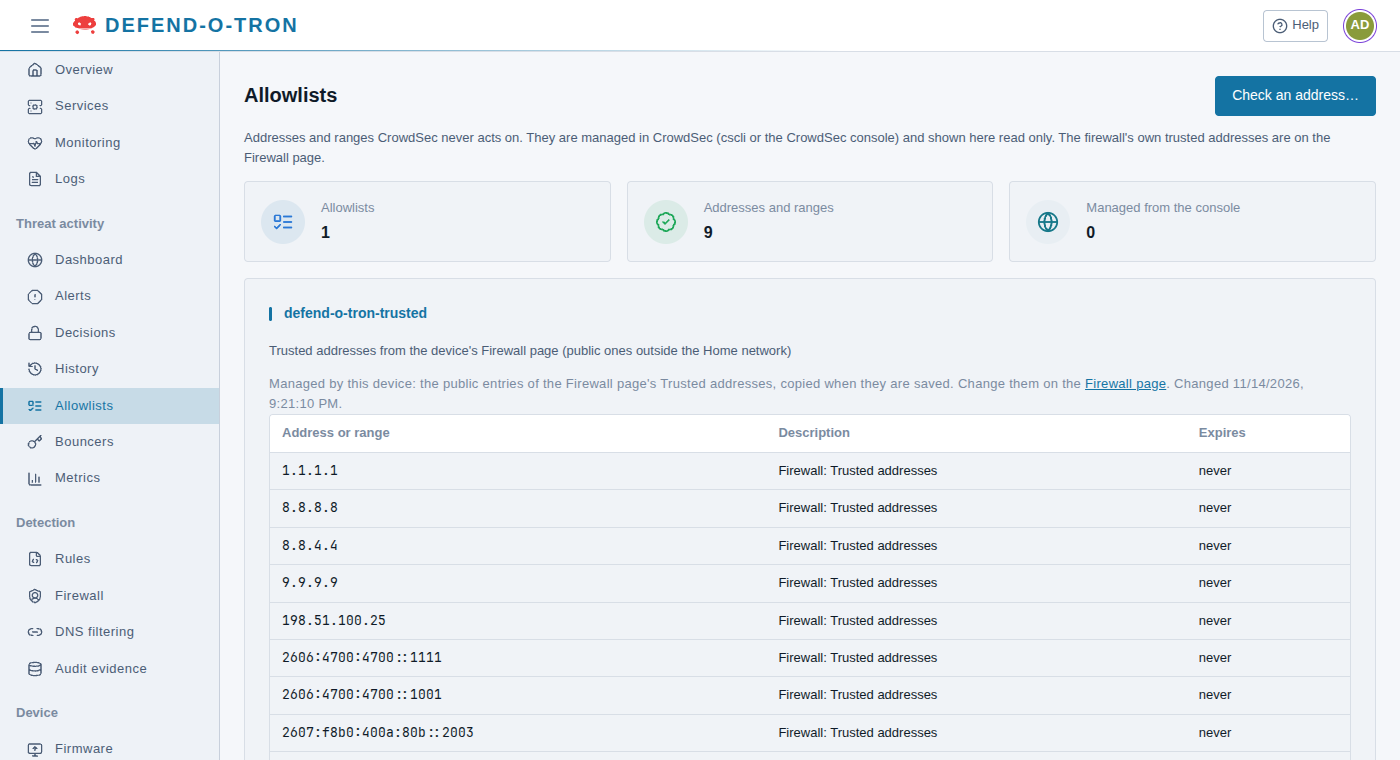
- Allowlists, Addresses and ranges and Managed from the console: how many lists there are, how many entries they hold, and how many lists are managed from the CrowdSec Console.
- One card for each list, with its description, when it was last changed, and its entries: the Address or range, its Description, and when it Expires (or never).
The page shows up to 50 lists and 5,000 entries in all. If there are more, it says so.
¶ The device’s own list: defend-o-tron-trusted
The Defend-O-Tron keeps one allowlist itself, defend-o-tron-trusted. It is a copy of the public addresses on the Trusted addresses list of Detection → Firewall, made each time you save that list. So CrowdSec makes no bans for the addresses you trust, and they don’t show up as bans the firewall would ignore anyway.
Two kinds of trusted address are never copied, even if you trust them:
- your own addresses, from the Home network tab on the Firewall page
- private ranges such as
192.168.0.0/16
That way, alerts about a compromised device on your own network still reach you.
To change this list, change Trusted addresses on the Firewall page. A change made to it with cscli is replaced the next time the trusted list is saved.
¶ Allowlists and the trusted list
| Firewall trusted list | CrowdSec allowlist | |
|---|---|---|
| Where | Detection → Firewall, Trusted addresses | This page (read-only); cscli or the CrowdSec Console |
| What it does | The firewall lets the address through before any block, ban or honeypot check. It is never examined and never produces evidence | The firewall still checks the address as usual, but CrowdSec makes no ban for it |
| Use it for | Addresses you fully trust, such as your DNS resolvers | Addresses CrowdSec should never ban, but whose traffic the firewall should still check |
See The Trusted List for the firewall’s list.
¶ Check an address
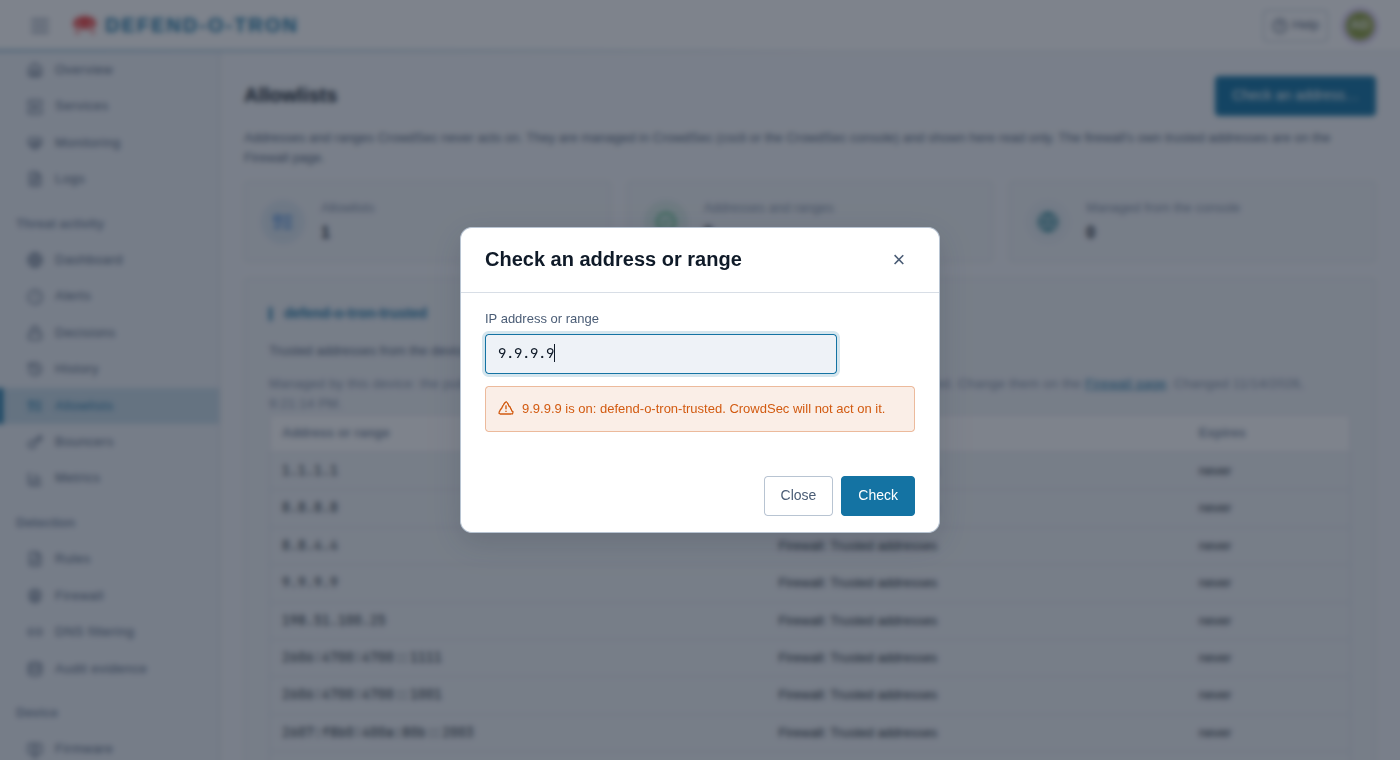
Check an address… tells you whether an address or range is on any allowlist:
- Click Check an address….
- Type an address (
203.0.113.7) or a range (198.51.100.0/24), and click Check.
The answer is either is on: (the lists). CrowdSec will not act on it., or is not on any allowlist.
Decisions runs the same check when you ban an address by hand, and asks before it bans an allowlisted one.
¶ Adding your own allowlist
For addresses CrowdSec should never ban but that you don’t want on the firewall’s trusted list, make your own allowlist in Device → Terminal:
sudo cscli allowlists create partners -d "Our partners' offices"
sudo cscli allowlists add partners 203.0.113.7 198.51.100.0/24 -d "Head office VPN"
sudo cscli allowlists remove partners 203.0.113.7
Leave defend-o-tron-trusted to the device. Lists you make here, or in the CrowdSec Console, appear on this page.
¶ Related
- Decisions: banning and unbanning, and handling false positives.
- Honeypot: the trusted list and the honeypot.
- Threat Activity: the other Threat activity pages.